Currency Converter App for iPhone
Live exchange rates for 160+ currencies. Convert USD to EUR, GBP to JPY and other currency pairs with real-time rates, offline mode and interactive charts. Free to download, built for travelers, online shoppers and freelancers.

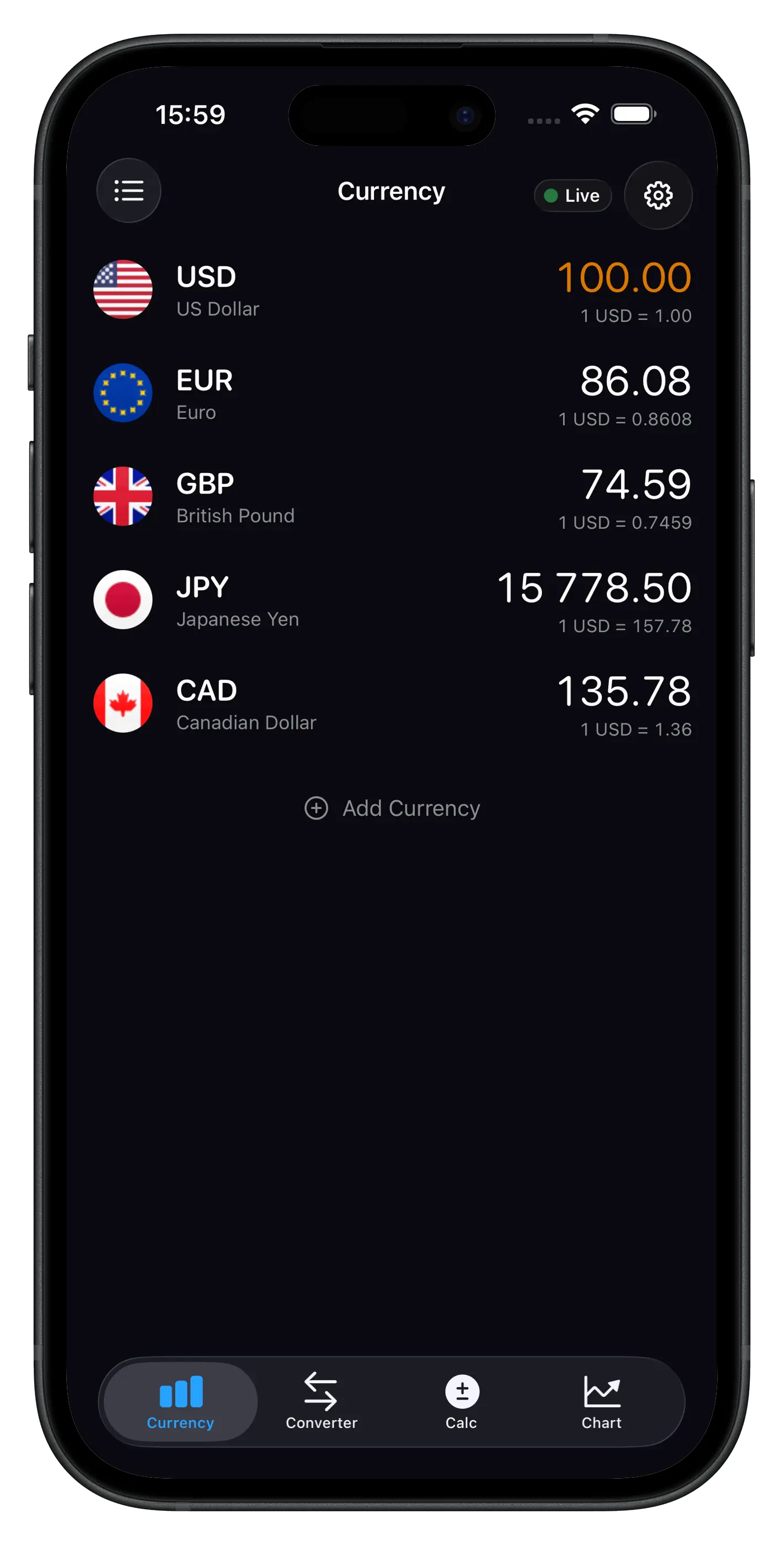
See the Currency Converter App in Action
Why This Currency Converter App Stands Out
Currency Converter for 160+ World Currencies
Convert USD to EUR, GBP to JPY, AUD to CAD, EUR to INR and every other major currency pair. The currency converter app pulls live exchange rates every 5 minutes from trusted financial data sources — you always get the current rate, never yesterday's number.
Offline Currency Converter
Travel without Wi-Fi? The app automatically caches the latest exchange rates so your currency converter keeps working on a plane, in a remote village or anywhere without a signal. True offline currency conversion in one tap.
Interactive Exchange Rate Charts
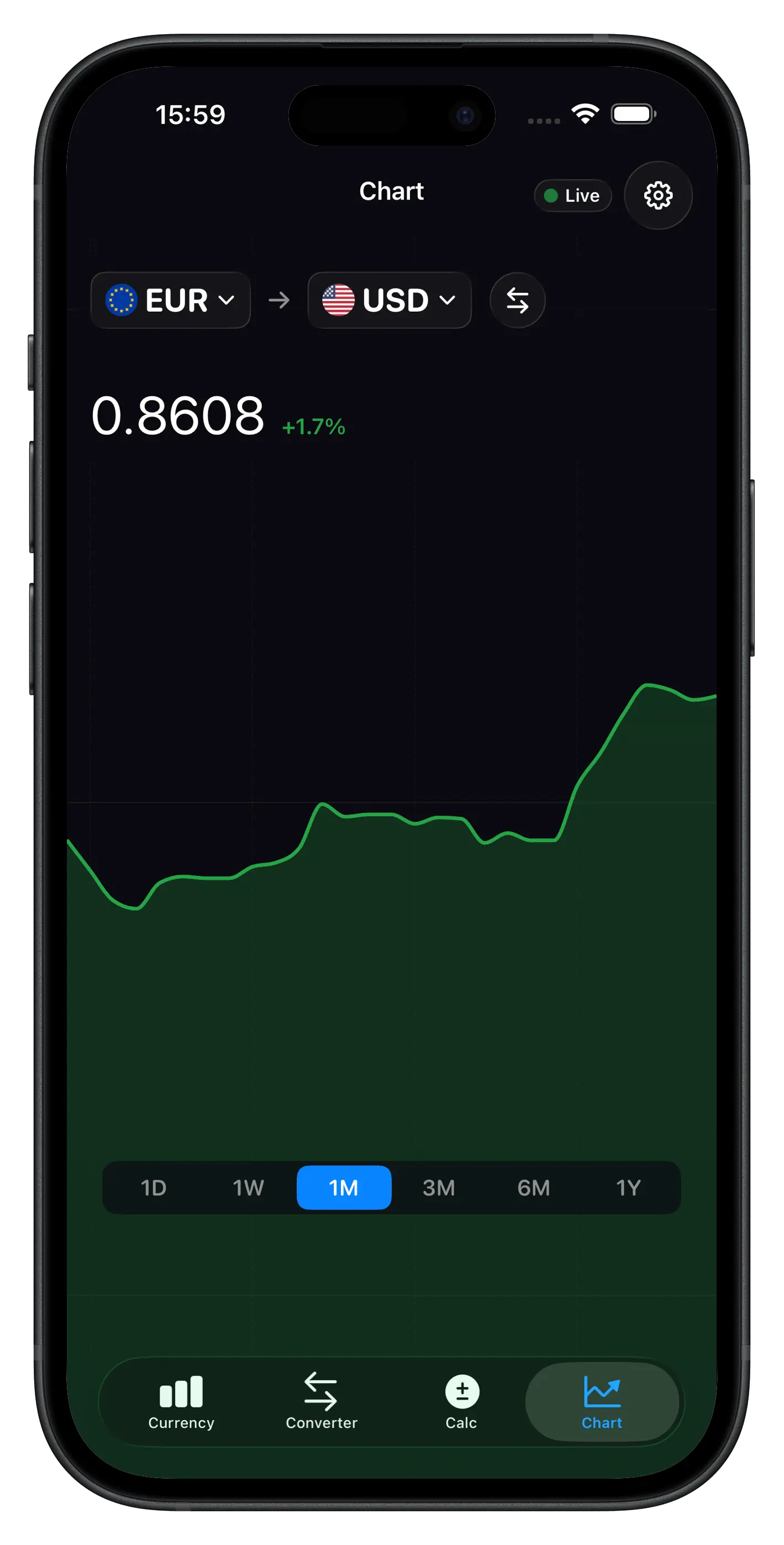
Track rate trends with built-in currency charts for any pair. Switch between 1D, 1W, 1M, 3M, 6M and 1Y views to spot patterns, monitor volatility and time your money exchange smarter than the average converter app.
Multi-Currency Calculator
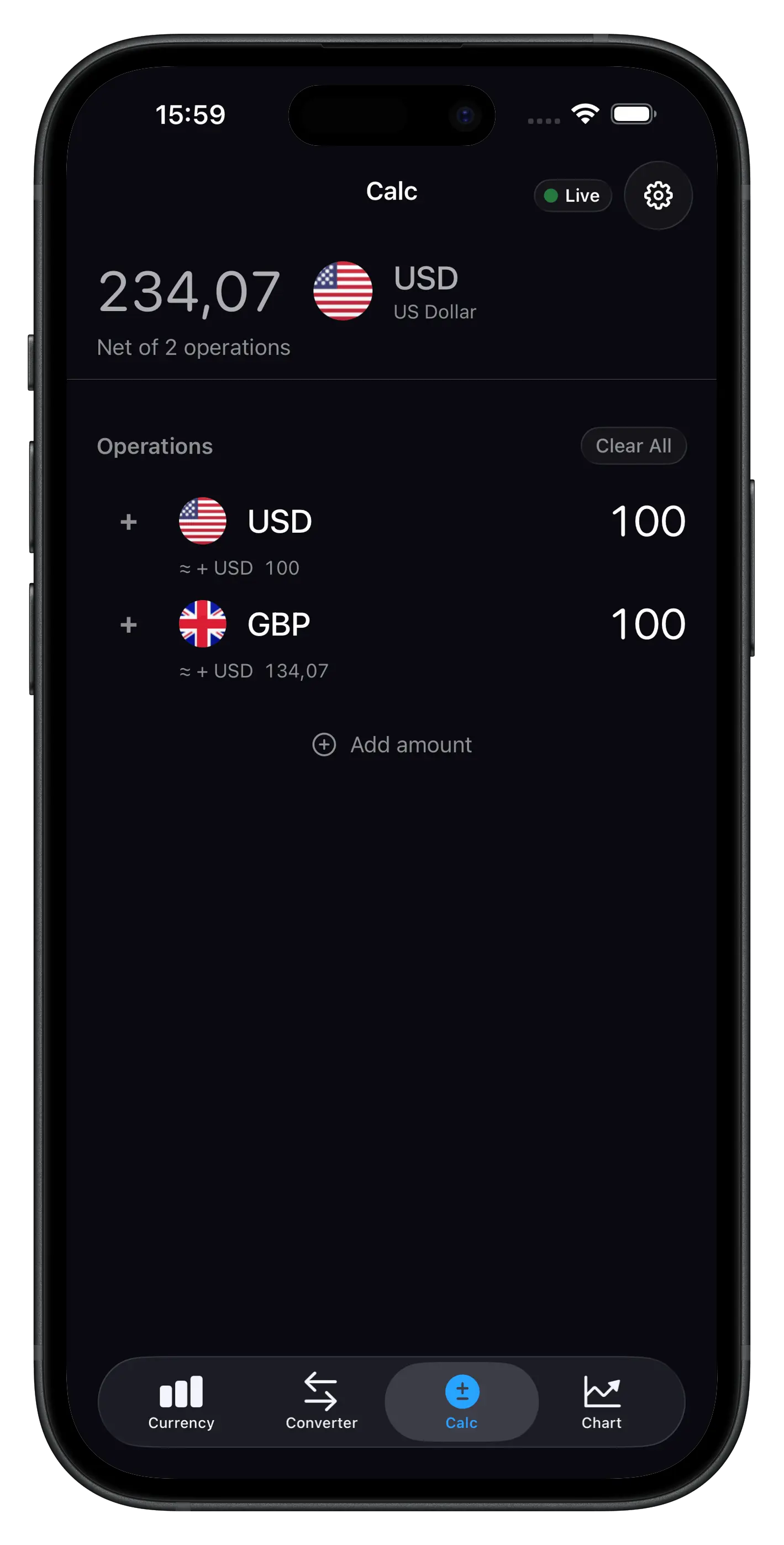
Add expenses in multiple currencies and see the total in one. Planning a trip across three countries? Enter each amount in its local currency and get the combined result instantly in your home currency — no spreadsheet, no mental math.
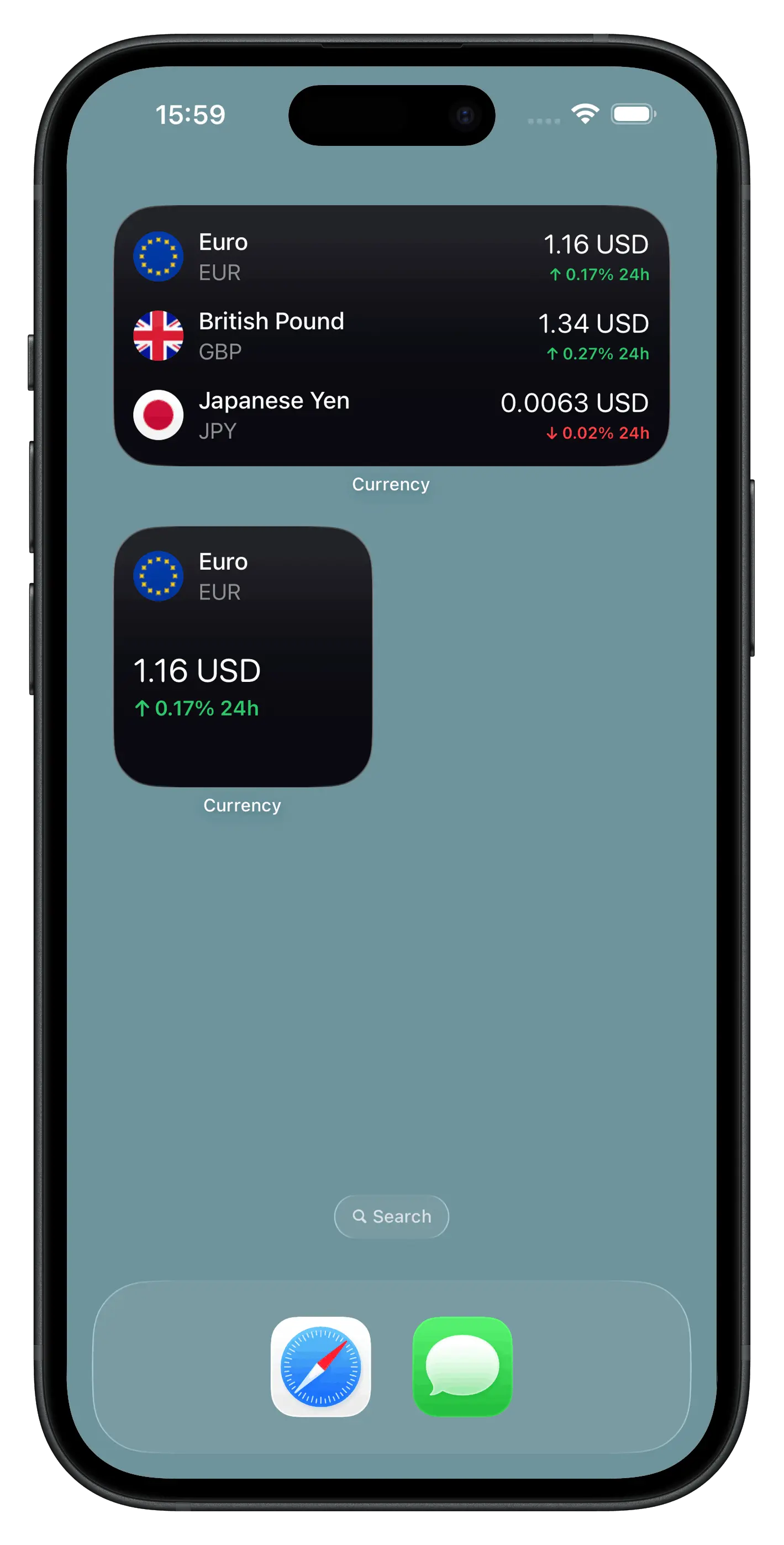
Currency Widgets for iPhone
See live currency exchange rates on your iPhone home screen and lock screen without opening the app. Available in small and medium widget sizes — pick the pairs that matter to you and watch them update throughout the day.
No Ads, No Clutter
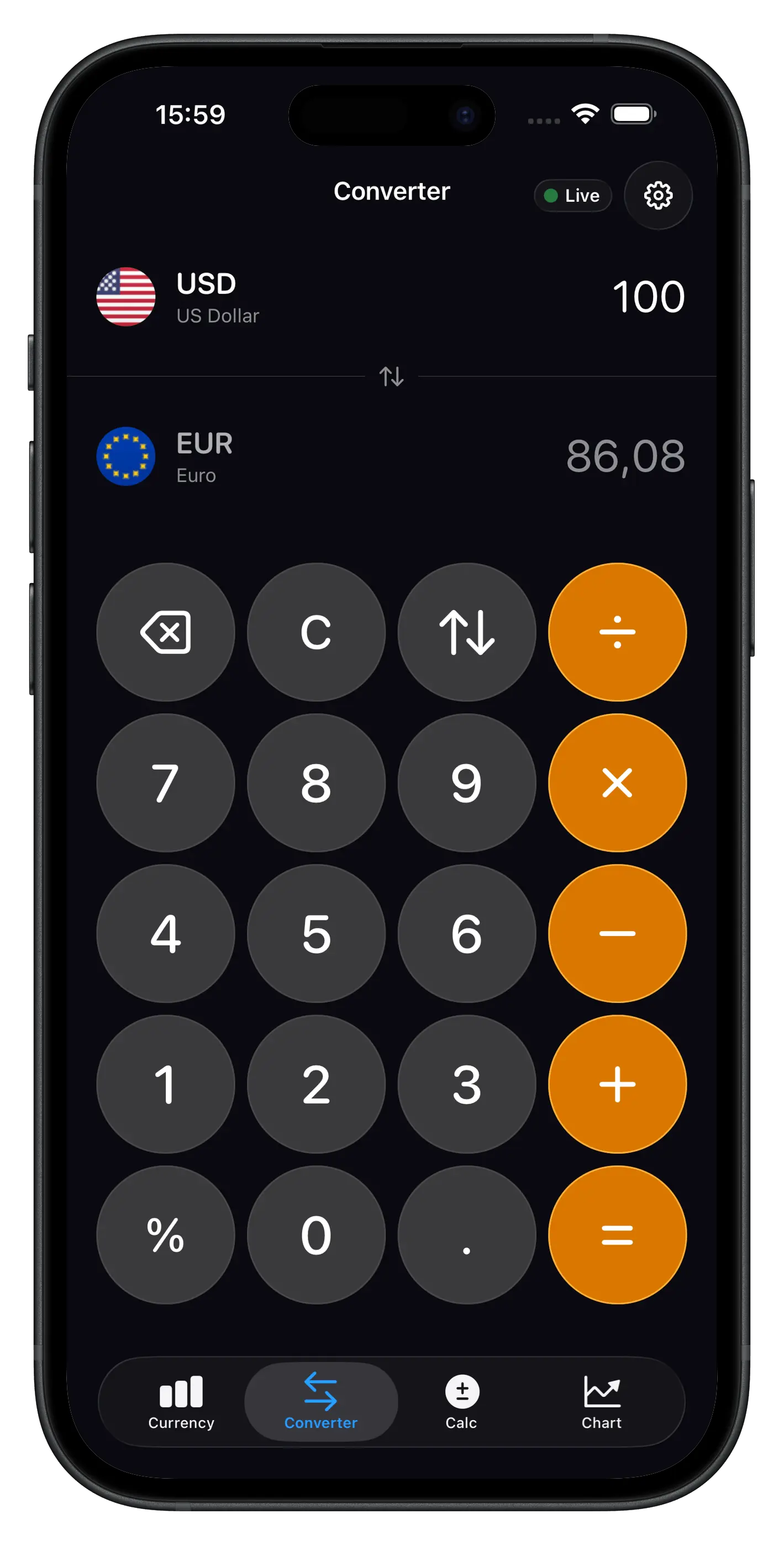
Open the currency converter, type the amount, get the result. No banners, no pop-ups, no full-screen interruptions — just a clean, focused interface that gives you the exchange rate fast.
A Currency Converter Built for iPhone
Currency Converter Calculator is a fast, focused currency converter app for iPhone and iPad. Whether you're comparing prices at a market in Tokyo, splitting a restaurant bill in euros, or checking the dollar exchange rate before a trip, you get a live currency conversion in seconds. The app covers 160+ world currencies, refreshes rates every 5 minutes, and works offline — so it stays useful on a plane, on the subway, or in countries with patchy mobile data.
Offline Currency Converter for International Travel
The app automatically caches the latest exchange rates on your iPhone, so you can convert currencies without Wi-Fi or mobile data. That's helpful for international flights, remote destinations, cruise ships, and anywhere connectivity is unreliable or expensive. Cached rates show their last update time, so you always know how fresh the data is when making a decision.
USD to EUR, GBP to JPY and Other Currency Pairs
Need to convert USD to EUR before a trip to Paris, check GBP to JPY for a Tokyo layover, or calculate AUD to CAD for a cross-border purchase? The currency converter supports every major pair — USD to EUR, EUR to USD, GBP to USD, USD to JPY, USD to CAD, USD to AUD, EUR to GBP, USD to INR, USD to CNY, USD to CHF, USD to MXN — along with hundreds of less common combinations and precious metals like Gold (XAU) and Silver (XAG).
Live Exchange Rates Updated Every 5 Minutes
Currency markets move constantly, and even small shifts in the exchange rate can matter for a large transfer or a multi-currency invoice. The currency converter pulls live exchange rates from a financial data provider and refreshes them every 5 minutes — so when you open the app online, you see current data rather than stale figures from yesterday's close.
Historical Exchange Rate Charts
The built-in chart view shows how any currency pair has moved over time — from a single day to a full year. Switch between 1D, 1W, 1M, 3M, 6M and 1Y periods, watch volatility around news events, and pick a moment to exchange money. The chart is part of the app — no extra taps, no external links.
Currency Widgets on the iPhone Home Screen
Add a live currency widget to your iPhone home screen or lock screen in small or medium size. Choose which currencies to display — your home currency next to your travel destination's currency, for example — and the widget keeps the pair updated throughout the day. It's the fastest way to keep an eye on USD, EUR, GBP or JPY without opening anything.
Multi-Currency Calculator for Trips and Invoices
Beyond simple pair conversion, the app includes a multi-currency calculator. Add expenses in different currencies — a hotel in euros, a taxi in yen, dinner in pounds — and see the total in your home currency. Freelancers invoicing in multiple currencies can total a month of work in seconds; travelers can build a trip budget that adapts as exchange rates shift.
Gold and Silver Prices
Alongside fiat currencies, the converter supports Gold (XAU) and Silver (XAG). Track precious metal prices in any of the 160+ supported currencies — useful for investors, jewelers and anyone who follows the metals market.
Who Is This Currency Converter For?
Travelers who need exchange rates on the go. Online shoppers dealing with international checkouts. Professionals handling cross-border invoices. Freelancers paid in USD, EUR or GBP. Students studying abroad. Anyone who exchanges money regularly and wants a clean, focused currency converter that just works.
How to Use the Currency Converter App
- Download Currency Converter Calculator from the App Store.
- Pick a base currency (for example, USD) and a target currency (for example, EUR).
- Enter the amount — see the result instantly with live rates.
- Tap the chart icon to view exchange rate history for that pair.
- Add a widget to your home screen for one-glance access to favorite rates.
Currency Converter App – Frequently Asked Questions
Yes. The currency converter app is free to download on the App Store and all core conversion features are free to use — including live exchange rates for 160+ currencies and offline mode. Premium features such as advanced historical charts and unlimited home screen widgets are available through an optional subscription.
The currency converter supports 160+ world currencies, including USD, EUR, GBP, JPY, CHF, AUD, CAD, CNY, INR, MXN, BRL, ZAR, SGD, HKD and many more. Precious metals such as Gold (XAU) and Silver (XAG) are also supported.
Yes. The app automatically caches the latest exchange rates on your iPhone. You can convert currencies fully offline — ideal for international travel, flights, cruise ships and anywhere without Wi-Fi or mobile data. No internet connection is required to use the currency converter.
Exchange rates are updated every 5 minutes from reliable financial data providers. When you open the currency converter app with an internet connection, rates refresh automatically in the background, so you always work with current data.
Yes. The currency converter supports every major pair — USD to EUR, EUR to USD, GBP to USD, USD to JPY, GBP to JPY, AUD to CAD, EUR to INR, USD to CNY, and hundreds more. Select the base and target currencies, type the amount, and the result is calculated instantly with live exchange rates.
Yes. The Currency Converter App supports iOS widgets in small and medium sizes. Add them directly from your iPhone home screen or lock screen, choose which currencies to display, and see live exchange rates at a glance without opening the app.
Yes. The app includes interactive exchange rate charts with historical data for 1D, 1W, 1M, 3M, 6M and 1Y periods, for any supported currency pair. View rate trends, monitor volatility and compare how exchange rates have moved over time.
The currency converter uses live exchange rates from a financial data provider, refreshed every 5 minutes. Rates are intended as a reference and may differ slightly from what banks, card networks or money transfer services offer, since those typically add their own margin.
No. Currency Converter Calculator is ad-free. Open it, type the amount, get the result.
Yes. In addition to all major fiat currencies, the app supports Gold (XAU) and Silver (XAG). You can convert precious metal prices into any of the 160+ supported currencies just like any other currency pair, with live rates updated every 5 minutes.
Currently the Currency Converter App is available on iPhone and iPad only (iOS 16 and later). An Android version is not planned at this time.